
การจัดการเรียนการสอนแบบ High scope ถือว่าเป็นกระบวนการเรียนรู้ที่เหมาะเป็นอย่างมากสำหรับเด็กโดยเฉพาะอย่างยิ่งเด็กปฐมวัยซึ่งเป็นช่วงวัย ที่กำลังต้องการได้รับการเอาใจใส่และการปลูกฝังรวมถึงการปูพื้นความรู้การตัดสินใจการรับรู้ต่างๆในช่วงวัยนี้นั่นเองดังนั้นแนวทางการเรียนรู้แบบไฮสโคปจึงเป็นสิ่งที่ได้รับความสนใจจากสำนักงานการศึกษา ขั้นพื้นฐาน ซึ่งในส่วนของการจัดการเรียนรู้แบบไฮสโคปจะเป็นการเรียนการสอนที่เน้นให้เด็กลงมือทำผ่านกิจกรรมต่างๆและจุดเด่นที่เป็นองค์ประกอบหลักสำคัญในการเรียนรู้รูปแบบนี้ทำให้แนวการสอนแตกต่างออกไปจากการสอนแบบอื่นๆ และองค์ประกอบที่สำคัญที่จะทำให้การเรียนการสอนแบบไฮสโคปประสบความสำเร็จและมีประสิทธิภาพมีดังนี้ การเปิดโอกาสให้เด็กได้เป็นผู้ริเริ่มในการเลือกกิจกรรมและตัดสินใจในการลงมือทำรวมไปถึงการใช้เครื่องมือต่างๆตามความถนัดและความสนใจของตัวเองวิธีการนี้จะทำให้เด็กเกิดการเรียนรู้ในรูปแบบของการ คิดและตัดสินใจด้วยตัวเอง ได้มากกว่าการได้รับความรู้จากการบอกต่อของผู้ใหญ่ การจัดเตรียมสื่อและวัสดุอุปกรณ์ในห้องเรียนให้มีความหลากหลายและสอดคล้องเหมาะสมกับช่วงอายุของเด็กเพื่อให้เด็กแต่ละคนที่มีความสนใจในสิ่งต่างๆแตกต่างกันนั้นสามารถเลือกใช้วัสดุอุปกรณ์ที่ตัวเองสนใจได้อย่างเหมาะสม พื้นที่ในห้องเรียนจะต้องมีเพียงพอต่อการทำกิจกรรมของเด็กไม่ว่าจะเป็นการทำกิจกรรมเดี่ยวหรือการทำกิจกรรมกลุ่ม ทั้งนี้ยังต้องมีการจัดมุมประสบการณ์ต่างๆและส่งเสริมให้เด็กได้เรียนรู้ผ่านการเล่นและกิจกรรมผ่านบทบาทสมมุติในมุมประสบการณ์แบบต่างๆสิ่งสำคัญนอกเหนือจากพื้นที่แล้วยังต้องมีการจัดสรรเวลาในการดำเนินกิจกรรมในแต่ละวันและในแต่ละช่วงเวลาให้เพียงพอไม่ควรเป็นช่วงเวลาที่มากหรือน้อยจนเกินไปอีกทั้งยังเป็นการฝึกให้เด็กได้รู้จักการรักษาเวลาอีกด้วย มุ่งเน้นให้เด็กใช้ประสาทสัมผัสทั้ง 5 ในการเรียนรู้เพื่อให้เด็กสามารถต่อยอดและใช้ทักษะในเรื่องของการใช้ความสัมพันธ์ของประสาททั้ง 5 กับวัตถุชิ้นนั้นได้เป็นอย่างดี ครูผู้สอนต้องเรียนรู้ภาษาจากเด็กและให้ความสำคัญกับสิ่งนี้มากเพราะนี่คือสิ่งที่เด่นจะสะท้อนประสบการณ์รวมไปถึงความเข้าใจและความต้องการออกมาเป็นคำพูดโดยที่เด็กอาจจะเล่าเรื่องราวต่างๆและมีอิสระในการใช้ภาษาเพื่อสื่อสารทางความคิดโดยที่ภาษานั้นอาจจะไม่ประติดประต่อเป็นเรื่องราวขึ้นอยู่กับแต่ละช่วงวัยแต่ครูผู้สอนจะต้องรู้และเข้าใจการสื่อสารและความหมายของเด็กได้อย่างถูกต้องและเมื่อครูเป็นผู้นำในการรับฟัง

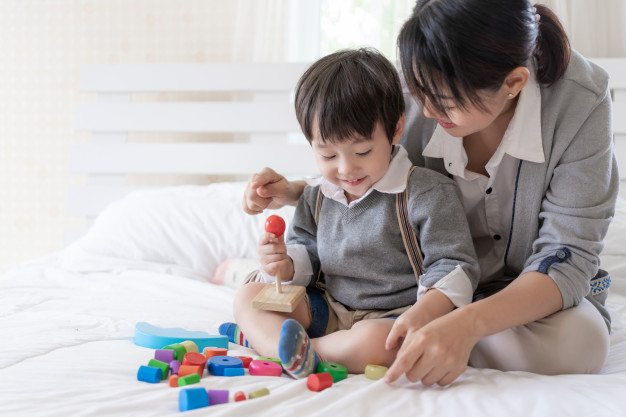
หัวใจของไฮสโคป การเรียนการสอนแบบมุ่งเน้นการลงมือทำ
รูปแบบของการเรียนการสอน แบบไฮสโคป กำลังเป็นรูปแบบการเรียนและการสอนที่มีความน่าสนใจและได้รับความนิยมเป็นอย่างมากเนื่องจากเป็นการเรียนการสอนที่มุ่งเน้นเรื่องของการลงมือทำผ่านกิจกรรมที่หลากหลายอีกทั้งยังมีสื่อการสอนและการจัดกิจกรรมที่เหมาะสมกับการพัฒนาในตัวเด็กโดยที่ครูผู้สอนจะปล่อยให้เด็กริเริ่มการเล่นหรือกิจกรรมต่างๆได้อย่างอิสระด้วยตัวเอง ซึ่งหลักการเรียนการสอนแบบนี้มีแนวคิดมาจากทฤษฎีทางจิตวิทยาของเพียเจต์ ว่าด้วยเรื่องการพัฒนาทางสติปัญญาที่มุ่งเน้นการเรียนรู้ด้วยการลงมือปฏิบัติ และนักเรียนจะได้ลงมือสร้างสรรค์ความรู้เองโดยใช้กระบวนการสร้างสรรค์การเรียนรู้ผ่านการกระทำกิจกรรมต่างๆของตัวเองและมีการประเมินผลงานอย่างมีแบบแผนอีกด้วย หัวใจสำคัญของการเรียนแบบไฮสโคป สิ่งสำคัญของการเรียนรู้แบบไฮสโคปให้เกิดประสิทธิผลมากที่สุดมีหัวใจสำคัญ 3 ประการได้แก่ การวางแผน ซึ่งในการเรียนการสอนนั้นจะมีการให้เด็กกำหนดแนวทางในการปฏิบัติหรือทำกิจกรรมรวมไปถึงวางแผนการทำงานตามที่ได้รับมอบหมายหรือทำตามในสิ่งที่ตัวเองสนใจโดยอิสระ ซึ่งครูผู้สอนจะต้องเปิดโอกาสให้เด็กสนทนากับครูหรือมีการสนทนากับเพื่อนร่วมกลุ่มภายในชั้นเรียนเพื่อวางแผนแลกเปลี่ยนสำหรับการทำกิจกรรมได้อย่างเหมาะสมซึ่งแน่นอนว่าในกระบวนการนี้เด็กทุกคนต้องมีส่วนในการวางแผนว่าจะทำอะไรไม่ทำอะไรอย่างไรและทุกคนจะต้องมีโอกาสในการเลือกและตัดสินใจด้วยตัวเอง ซึ่งกระบวนการนี้จะมีการบันทึก รูปแบบกิจกรรมด้วยภาพหรือสัญลักษณ์ประจำตัวเด็กกระบวนการเรียนรู้ด้วยการวางแผนเหล่านี้จะส่งเสริมความรู้สึกมั่นใจในตัวเองการควบคุมตัวเอง อีกทั้งยังทำให้เด็กมีความสนใจในการเรียนสนใจในกิจกรรมที่ตัวเองได้เป็นผู้ริเริ่มนอกจากนี้แล้วเขายังจะมีความภูมิใจในตัวเองมากอีกด้วย การปฏิบัติ เป็นการเรียนรู้โดยให้เด็กลงมือทำกิจกรรมตามแผนงานที่วางเอาไว้ได้อย่างอิสระเสรีแต่อาจจะมีกรอบเวลาเป็นตัวกำหนดโดยมุ่งเน้นรูปแบบการทำกิจกรรมให้เด็กได้ช่วยกันคิดทดลองทำและทดลองหาสาเหตุและวิธีการแก้ไขปัญหาร่วมกันอย่างมีจุดมุ่งหมายและเป้าประสงค์ที่ชัดเจนการเรียนรู้ด้วยการปฏิบัตินั้นจะช่วยให้เด็กได้เกิดประสบการณ์ค้นพบความคิดใหม่ๆโดยที่สุดจะทำหน้าที่เป็นเพียงผู้ชี้แนะและให้คำปรึกษามากกว่าที่จะลงมือทำหรือจัดการด้วยตัวเองเพื่อให้เกิดผลสำเร็จหลังจากนั้นจะมีการทบทวนการทำกิจกรรมเพื่อให้เกิดความเข้าใจมากยิ่งขึ้น กระบวนการสะท้อนผลงานของตัวเอง เป็นกระบวนการที่ทำให้เด็กได้ลงมือทำผ่านการพูดคุยหรือแสดงผลต่างๆ

ความแตกต่างของการเรียนหลักสูตร EP และ MEP
การเรียนรู้เป็นสิ่งที่สำคัญ โดยเฉพาะอย่างยิ่งในเรื่องของระบบการศึกษาและในปัจจุบันนี้การศึกษาไทยมุ่งเน้นและให้ความสำคัญ กับการเรียนภาษามากยิ่งขึ้นดังที่เราจะเห็นว่าหลายโรงเรียนมีการปรับหลักสูตร ให้เป็นหลักสูตรการเรียนภาษาอังกฤษ มากยิ่งขึ้น ทั้งนี้เพราะในส่วนของกระบวนการทำงานในชีวิตจริงไม่ว่าจะเป็นเรื่องของเศรษฐกิจและสังคมรวมไปถึงการติดต่อธุรกิจและการงานทุกแขนงจำเป็นที่จะต้องใช้ภาษาที่ 2 เพื่อสื่อสารกับชาวต่างชาติซึ่งเรามีการเปิดการค้าระบบเสรีมากยิ่งขึ้น นักลงทุนชาวต่างชาติจึงผูกพันมากขึ้นในบ้านเราการเรียนและการทำงานโดยการใช้ภาษาที่สองจึงเป็นสิ่งที่สำคัญไม่แพ้กับเรื่องอื่นใดที่เกี่ยวข้องกับรายเดือนเลยทีเดียว หลักสูตรการเรียนเพื่อการพัฒนาทางด้านภาษาอังกฤษคือหลักสูตร EP (English Program ) และ MEP ( mini English program)


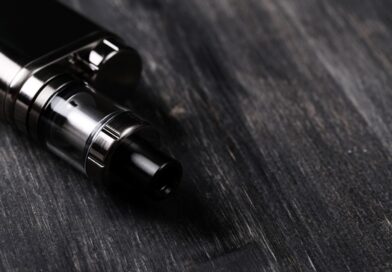
แนะนำ 4 ร้านขายบุหรี่ไฟฟ้าที่น่าสนใจ
ปัจจุบันนั้น บุหรี่ไฟฟ้ายังคงได้รับความนิยมเป็นอย่างมากเลยหล่ะครับ ด้วยข้อดีหลายอย่างของตัวผลิตภัณฑ์ทำให้อะไรๆ ก็สามารถใช้งานได้ง่าย แถมยังมีหลากกลิ่นหลากรสให้ได้เลือกสูบกันอีกด้วย วันนี้เราเลยอยากจะมา “แนะนำ 4 ร้านขายบุหรี่ไฟฟ้าที่น่าสนใจ” ให้กับทุกๆ ท่านพร้อมกับแนะนำน้ำยาบุหรี่ไฟฟ้าแถมไปด้วยครับ จะมีร้านไหนบ้างนั้น…เราไปชมดีกว่าครับ

ทำไมบุหรี่ไฟฟ้าถึงอันตราย หากใช้ไม่เป็น
หลายๆ ก็คงที่จะประสบพบกับปัญหาต่างๆ เกี่ยวกับเรื่องของสุขภาพร่างกายกันใช่มั้ยหล่ะครับ โดยเฉพาะเรื่องของอากาศที่ฝุ่นละออง PM 2.5 ก็เยอะหรือจะเป็นมลพิษที่เกิดจากสิ่งอื่นๆ เช่นเดียวกับการ “สูบบุหรี่” ก็เป็นปัญหาเช่นกัน แต่ทั้งนี้ทั้งนั้นหากเราใช้เป็น วันนี้เราเลยอยากจะมาแชร์เกี่ยวกับ “ทำไมบุหรี่ไฟฟ้าถึงอันตราย หากใช้ไม่เป็น” กันสักหน่อยเพื่อแลกเปลี่ยนข้อมูลกันครับ จะเป็นอย่างไรกันบ้างนั้น เราไปชมกันดีกว่าครับผม

สิ่งที่ควรรู้ก่อนเลือกใช้บุหรี่ไฟฟ้า
ว่ากันว่า “บุหรี่ไฟฟ้า”นั้นเป็นสิ่งที่กำลังทกเทียงกันถึงผลข้างเคียงจากการใช้งานในแบบต่างๆ มากมาย วันนี้เราเลยอยากมาเป็นตัวแทนหมู่บ้านในการจัดการเรื่องบุหรี่ไฟฟ้าและสิ่งอื่นๆ ดังนั้นเราจึงต้องฝึกเกี่ยวกับ “สิ่งที่ควรรู้ก่อนเลือกใช้บุหรี่ไฟฟ้า” กันสักหน่อยเพื่อเป็นตัวช่วยในพิจารณานั้นเองครับ เพื่อเป็นการไม่เสียเวลา เราไปชมกันเลยดีกว่าครับผม
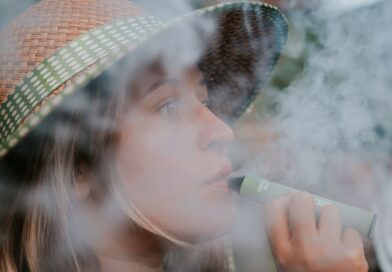
5 รสน้ำยาไฟฟ้าที่น่าสนใจ พร้อมกับหลักการเลือกที่ปลอดภัย
ตัวชูโรงของ บุหรี่ไฟฟ้า นอกจากเรื่องความสะดวกสบายในการใช้งานแล้วนั้น “รสหรือกลิ่นของน้ำยาบุหรี่ไฟฟ้า” มีมากมายให้ได้เลือกสรรกันเลยหล่ะครับ วันนี้เราเลยอยากจะมาแนะนำ “5 รสน้ำยาไฟฟ้าที่น่าสนใจ พร้อมกับหลักการเลือกที่ปลอดภัย” ให้กับทุกๆ ท่านได้ลองศึกษากันครับ จะเป็นอย่างไรบ้างนั้น…..เราไปชมกีนดีกว่าครับ
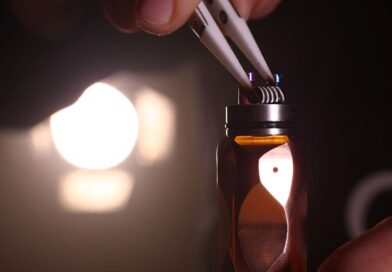
รู้จักคอยล์บุหรี่ไฟฟ้า พร้อมกับวิธีการดูแล
บุหรี่ไฟฟ้า เป็นทางเลือกใหม่ที่เหล่าบรรดานักสูบทั้งหน้าเก่าและหน้าใหม่หันมาใช้งานกัน เนื่องด้วยฟังก์ชั่นที่พกพาสะดวกแถมยังมีหลากรสชาติหลากกลิ่นให้ได้เลือกสรร จึงทำให้ไต้องเปลือกใจเลยว่าทำไมบุหรี่ไฟฟ้าถึงฮิตเอามากๆ เลยครับ วันนี้เราเลยอยากจะพาทุกๆ ท่านไปรู้จักกับส่วนของต่างๆ ที่สำคัญของบุหรี่ไฟฟ้ากันสักหน่อยครับ จะต้องดูแลอย่างไรบ้างนั้น เราไปชมกันดีกว่า
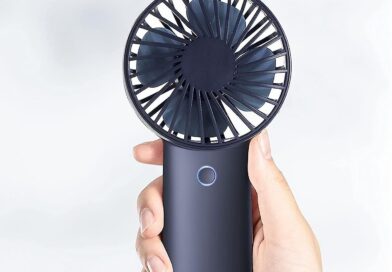
พัดลมมือถืออุปกรณ์คลายร้อนช่วงฤดูร้อน
เมื่อเข้าสู่ฤดูร้อน หลายคนก็มองหาไอเท็มเด็ดๆ ที่จะมาช่วยคลายร้อน พัดลมมือถือ นับว่าเป็นอีกหนึ่งอุปกรณ์คลายร้อนที่ได้รับความนิยมอย่างมาก เพราะสามารถพกพาไปได้ทุกที่ มีขนาดเล็กกะทัดรัด ไม่ว่าจะไปในสถานที่ไหนก็เปิดคลายร้อนได้ วันนี้จะมาแนะนำพัดลืมมือถือพกพาให้ไปเลือกซื้อไปใช้คลายร้อนกันเลย พัดลมมือถือ Lecon มาเอาใจคนรักสไตล์มินิมอลด้วยพัดลมมือถือ Lecon เป็นพัดลมที่ตั้งโต๊ะ ที่เราสามารถปรับการใช้งานได้ เมื่อใช้เสร็จพับเก็บเข้าสิ้นชักได้ หรือจะเอาออกวางบนโต๊ะ และยืดขาออกให้ยาวได้ถึง 1 เมตร
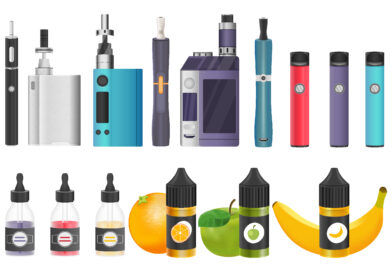
แนะนำ 4 น้ำยาบุหรี่ไฟฟ้าที่สายควันต้องลอง
กลิ่นที่มีความสดชื่น หอมฟุ้งและมีรสชาติต่างๆ ที่ติดจมูก เป็นอะไรที่น่าสัมผัสลิ้มลองมากเลยว่ามั้ยหล่ะครับ ซึ่งสิ่งเหล่านี้สามารถสัมผัสได้โดยการสูบ “บุหรี่ไฟฟ้า” ที่จะทำให้ทุกๆ ท่านที่เป็นนักพ่นควันเปลี่ยนมาเป็นพ่นไอน้ำยาแทน วันนี้เราจึงอยากขอพาทุกๆ ท่านไปแนะนำกับ “4 น้ำยาบุหรี่ไฟฟ้าที่สายควันต้องลอง” กันสักหน่อยครับ เพื่อเป็นการไม่เสียเวลา เราไปชมกันเล้ยย!! ●Marbo – Ice Strawberry (6mg)

ใบกระท่อมกับบุหรี่ไฟฟ้าอะไรดีกว่ากัน
ในปัจจุบันนั้น กฏหมายไทยได้มีการแก้ไขเกี่ยวกับเรื่องพืชท้องถิ่นอย่าง “ใบกระท่อม” ที่จากสมัยก่อนถือเป็นพืชสารเสพติดผิดกฏหมาย แต่ปัจจุบันได้รับการรับรองอย่างเป็นทางการเรียบร้อยแล้ว ซึ่งนอกจากคุณประโยชน์ทางการแพทย์และอื่นๆ นั้น ก็ยังมีโทษทีคุณควรทราบกันอีกด้วยหล่ะครับ นอกจากนี้ยังมีอีกหนึ่งอุปกรณ์ที่กำลังเป็นที่สนใจอย่าง “บุหรี่ไฟฟ้า” ที่ยังเป็นถกเถียงกันอยู่ถึงปัจจุบัน วันนี้เราจึงอยากพาทุกๆ ท่านไปพบกับข้อมูล “ใบกระท่อมกับบุหรี่ไฟฟ้าอะไรดีกว่ากัน” กันครับ จะเป็นอย่างไรกันบ้างนั้น… เราไปชมกันเล้ยย!!! ทำความรู้จักกับ “ใบกระท่อม” กระท่อมเป็นไม้ยืนต้นขนาดใหญ่ปานกลาง
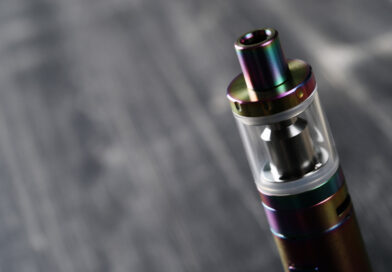
รู้จักกฏหมายเกี่ยวกับบุหรี่ไฟฟ้า
ปัจจุบัน ความนิยมของบุหรี่ไฟฟ้านั้น กำลังได้รับความนิยมในหมู่นักสูบทั้งรุ่นเก่าและรุ่นใหม่ก็ต่างให้ความสนใจและเลือกที่จะใช้บุหรี่ไฟฟ้ากันอย่างมากมายเลยหล่ะครับ แต่ทั้งนี้ทั้งนั้นบุหรี่ไฟฟ้ากับกฏหมายไทยนั้นไม่มีข้อสรุปชั้นเจนให้ได้ทราบกันเลยหล่ะครับ วันนี้เราจึงอยากพาทุกๆ ท่านไป “รู้จักกฏหมายเกี่ยวกับบุหรี่ไฟฟ้า” ที่น่าสนใจและผู้ที่สูบจะต้องพึ่งเข้าใจไว้กันด้วยหล่ะครับ กฏหมายน่ารู้เกี่ยวกับบุหรี่ไฟฟ้า ●กรณีผู้ขายหรือผู้ให้บริการบุหรี่ไฟฟ้า คณะกรรมการคุ้มครองผู้บริโภคได้มีคำสั่งที่ 9/2558 เรื่อง ห้ามขายหรือห้ามให้บริการสินค้า “บารากู่ บารากู่ไฟฟ้าหรือบุหรี่ไฟฟ้า หรือตัวยาบารากู่ น้ำยาสำหรับเติมบารากู่ไฟฟ้าหรือบุหรี่ไฟฟ้า” ซึ่งมีสารเคมีที่เป็นอันตรายต่อร่างกายหลายชนิด รวมทั้งโลหะหนักที่เป็นสารก่อมะเร็ง
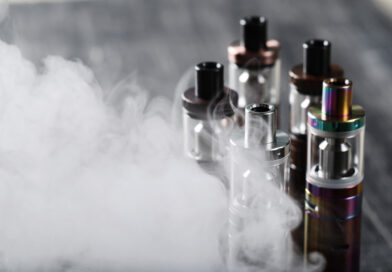
แนวทางการทำความสะอาดบุหรี่ไฟฟ้า
สิ่งใดก็ตามที่มีการใช้งานอยู่เป็นประจำทุกๆ วันนั้น…ย่อมมีการเสื่อมสภาพหรือเกิดความสกปรกไปตามกาลเวลาและการใช้งานเสมอ ไม่ว่าจะสิ่งไหนๆ ก็เป็นแบบเดียวกันทั้งนั้น เช่นเดียวกับอุปกรณ์อย่าง “บุหรี่ไฟฟ้า” ก็บางท่านสูบอยู่ทุกๆ วันก็ต้องมั่นคอยดูแลทำความสะอาดพวกเค้าอยู่เช่นกัน ไม่งั้นแล้วอาจทำให้อายุการใช้งานสั้นลงกว่าเดิมก็เป็นได้ครับ บทความนี้จะพาทุกๆ ท่านไปพบกับ “แนวทางการทำความสะอาดบุหรี่ไฟฟ้า” และกล่าวถึงส่วนประกอบที่สำคัญของบุหรี่ไฟฟ้ากันสักหน่อยครับ บุหรี่ไฟฟ้าแตกต่างจากบุหรี่ธรรมดาอย่างไร? เมื่อเทียบกันแล้ว บุหรี่ไฟฟ้าจะมีความปลอดภัยกว่าบุหรี่ปกติถึง 95% ซึ่งมีผลวิจัยมาจาก หน่วยงานด้านสาธารณสุขของอังกฤษ เนื่องจากบุหรี่ไฟฟ้าไม่มีกระบวนการเผาไหม้

เลือกใช้บุหรี่ไฟฟ้าอย่างไรให้ดีต่อสุขภาพ
“บุหรี่ไฟฟ้า” นั้นมีประเด็นที่มีการถกเถียงกันอย่างกว้างขวางในปัจจุบัน เนื่องจากมีการประกาศห้ามการนำเข้าและครอบครองบุหรี่ไฟฟ้าโดยรัฐบาล จึงมีผู้ออกมาแสดงความคิดเห็นกันมากมาย มีทั้งที่เห็นด้วยและไม่เห็นด้วย ซึ่งทั้งสองฝ่ายต่างก็หยิบยกข้อมูลบางด้านมาสนับสนุนความเห็นของตน ทำให้สังคมและประชาชนทั่วไปเกิดความสับสนเกี่ยวกับข้อมูลเหล่านี้ว่าควรจะเชื่อหรือปฏิบัติอย่างไรกันแน่ ซึ่งในวันนี้เราจะพาทุกๆ ท่านมาพบกับหลักการ “เลือกใช้บุหรี่ไฟฟ้าอย่างไรให้ดีต่อสุขภาพ” ที่น่าสนใจกันครับ ว่ากันด้วยเรื่องของบุหรี่ไฟฟ้าเป็นอย่างไรกันนะ บุหรี่ไฟฟ้าคือ อุปกรณ์อิเล็กทรอนิกส์ชนิดหนึ่งซึ่งใช้แบตเตอรี่ในการทำงานเพื่อสร้างความร้อนและไอน้ำที่ประกอบไปด้วยสารต่าง ๆ เช่น นิโคติน (Nicotine) โพรไพลีนไกลคอล (Propylene
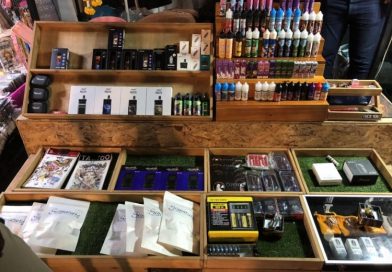
ร้านขายบุุหรี่ไฟฟ้าราคาถูกที่คนนิยมในปี 2021
บุหรี่ไฟฟ้าตอนนี้กำลังเป็นที่นิยมเป็นอย่างมาก เหล่าสายสิงห์พ่นควันต่างพากันค้นหาร้านค้าที่ถูกใจและเหมาะสมกันให้ควักเลยหล่ะครับ ซึ่งหากคุณกำลังมองหาร้านขายบุหรี่ไฟฟ้ากันอยู่หล่ะก็… ในบทความนี้จะพาทุกๆ ท่านไปพบกับ “ร้านขายบุุหรี่ไฟฟ้าราคาถูกที่คนนิยมในปี 2021” กันครับ จะมีร้านไหนบ้างนั้น เราไปดูกันดีกว่า… แนะนำร้านขายบุหรี่ไฟฟ้าที่สายควันต้องโดนน!! ●ร้าน Siam pods เป็นร้านขายบุหรี่ไฟฟ้าอันดับต้นๆ ประเทศไทย มีตัว POD และน้ำยากลิ่นต่างๆ มากมายให้เราได้เลือกสรรกันอย่างจุใจครับ
ทำไมบุหรี่ไฟฟ้าถึงอันตราย หากใช้ไม่เป็น
หลายๆ ก็คงที่จะประสบพบกับปัญหาต่างๆ เกี่ยวกับเรื่องของสุขภาพร่างกายกันใช่มั้ยหล่ะครับ โดยเฉพาะเรื่องของอากาศที่ฝุ่นละออง PM 2.5 ก็เยอะหรือจะเป็นมลพิษที่เกิดจากสิ่งอื่นๆ เช่นเดียวกับการ “สูบบุหรี่” ก็เป็นปัญหาเช่นกัน แต่ทั้งนี้ทั้งนั้นหากเราใช้เป็น วันนี้เราเลยอยากจะมาแชร์เกี่ยวกับ “ทำไมบุหรี่ไฟฟ้าถึงอันตราย หากใช้ไม่เป็น” กันสักหน่อยเพื่อแลกเปลี่ยนข้อมูลกันครับ จะเป็นอย่างไรกันบ้างนั้น เราไปชมกันดีกว่าครับผม
สิ่งที่ควรรู้ก่อนเลือกใช้บุหรี่ไฟฟ้า
ว่ากันว่า “บุหรี่ไฟฟ้า”นั้นเป็นสิ่งที่กำลังทกเทียงกันถึงผลข้างเคียงจากการใช้งานในแบบต่างๆ มากมาย วันนี้เราเลยอยากมาเป็นตัวแทนหมู่บ้านในการจัดการเรื่องบุหรี่ไฟฟ้าและสิ่งอื่นๆ ดังนั้นเราจึงต้องฝึกเกี่ยวกับ “สิ่งที่ควรรู้ก่อนเลือกใช้บุหรี่ไฟฟ้า” กันสักหน่อยเพื่อเป็นตัวช่วยในพิจารณานั้นเองครับ เพื่อเป็นการไม่เสียเวลา เราไปชมกันเลยดีกว่าครับผม
5 รสน้ำยาไฟฟ้าที่น่าสนใจ พร้อมกับหลักการเลือกที่ปลอดภัย
ตัวชูโรงของ บุหรี่ไฟฟ้า นอกจากเรื่องความสะดวกสบายในการใช้งานแล้วนั้น “รสหรือกลิ่นของน้ำยาบุหรี่ไฟฟ้า” มีมากมายให้ได้เลือกสรรกันเลยหล่ะครับ วันนี้เราเลยอยากจะมาแนะนำ “5 รสน้ำยาไฟฟ้าที่น่าสนใจ พร้อมกับหลักการเลือกที่ปลอดภัย” ให้กับทุกๆ ท่านได้ลองศึกษากันครับ จะเป็นอย่างไรบ้างนั้น…..เราไปชมกีนดีกว่าครับ